Page 16 of 20 · 3 min read · October 15, 2026
Etsy Listing Photo Size 2026: Pixels, Ratio and Thumbnails
The right Etsy listing photo size for 2026: resolution, aspect ratio, file type, thumbnail crop and Canva setup, plus tips to make your first photo stand out.
Your photos do most of the selling on Etsy, and the wrong size can make a great product look blurry or badly cropped in search results. This guide covers the practical settings sellers use: resolution, shape, file type and how to keep your product safe from thumbnail cropping. Etsy updates its image guidance from time to time, so always double-check its help article on image requirements and best practices.
Resolution: go large
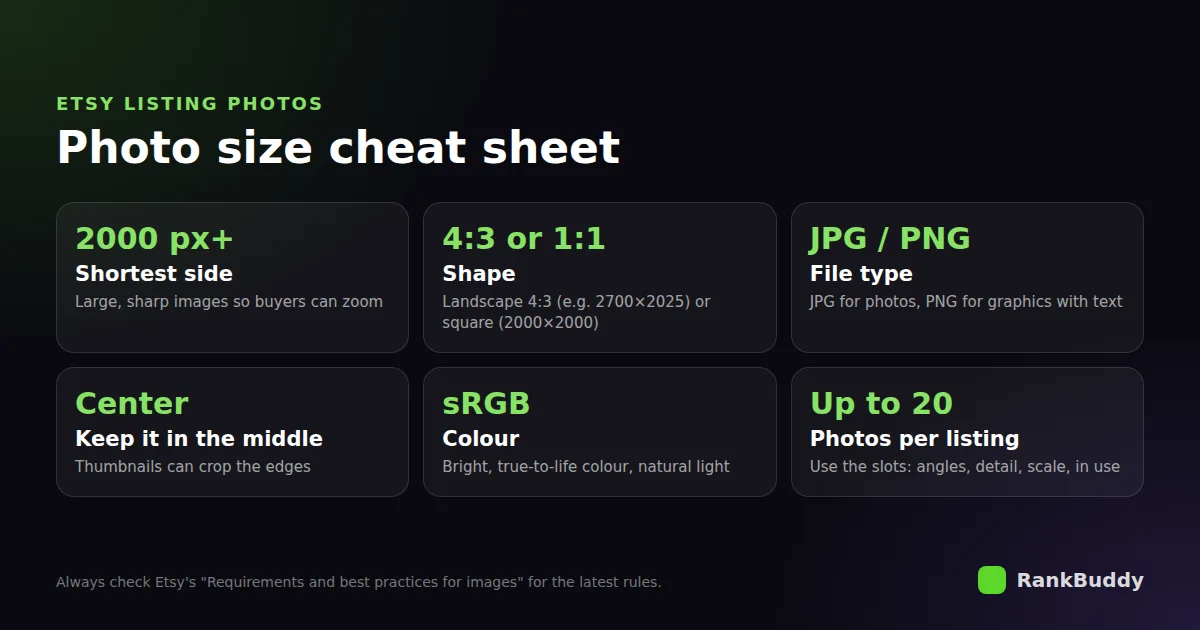
Use large, sharp images, around 2000 pixels on the shortest side or more. Big images let shoppers zoom in on details, and they still look crisp on high-resolution phone and laptop screens. Small images look soft and cheap, especially next to competitors with sharp photos.
Aspect ratio: 4:3 or square
Many sellers use a landscape 4:3 ratio, such as 2700 × 2025 pixels, because it matches how listings are often displayed. A square image, such as 2000 × 2000 pixels, is another safe choice that crops neatly in most places. Whichever you pick, use the same shape across your shop so your listings look consistent.
Thumbnails: protect the centre
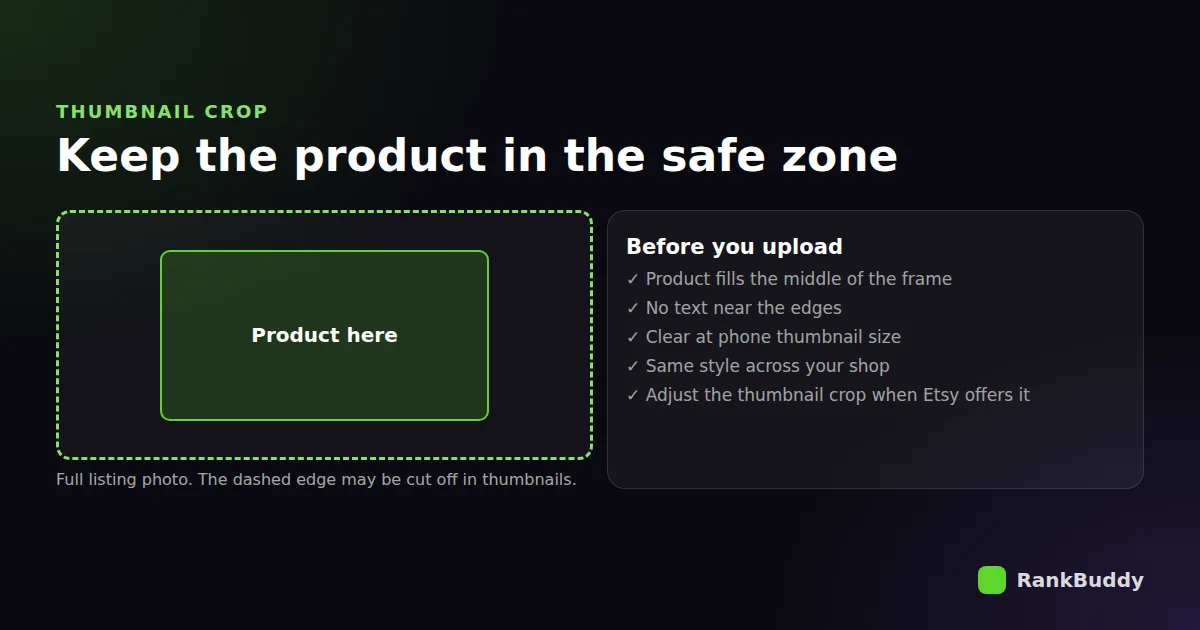
Search results and shop pages show a cropped thumbnail of your first photo, and the crop can differ between phone and desktop. Keep the product in the middle of the frame with some space around it, and avoid putting text or important details near the edges. When Etsy lets you adjust the thumbnail crop, check it before publishing.
File type: JPG or PNG?
- JPG is best for normal product photos. It keeps file sizes small with good quality.
- PNG is best for graphics with text, like mockups for digital products or size charts, because text stays sharp.
- Keep colours true to life. Over-edited colours lead to disappointed buyers and returns.
Setting up Canva for Etsy photos
- Create a custom design at 2700 × 2025 px for 4:3, or 2000 × 2000 px for square.
- Turn on rulers and guides and mark a safe zone in the centre for your product.
- Export as JPG for photos or PNG for designs with text, at the highest quality.
- Save it as a template so every listing in your shop matches.
What to show in your photo slots
Etsy gives you plenty of photo slots and a video, and shoppers use them to decide. A strong set usually includes:
- A clean first photo where the product is obvious at thumbnail size.
- Different angles, including the back and the inside if it matters.
- A close-up of the material, texture or detail.
- A scale photo, such as in a hand or next to a common object.
- The product in use or styled in a real setting.
- For digital products: a mockup of what the buyer receives and what's included.
Selling digital downloads? The Digital File Checker reviews your files and listing so buyers get exactly what they expect.
Check a digital product listingAlready have good photos? Upload one and RankBuddy writes the title, 13 tags and description to match.
Write a listing from your photoFrequently asked questions
What is the best size for Etsy listing photos in 2026?
Large images around 2000 pixels on the shortest side or more, in a 4:3 or square shape, are a safe choice. Check Etsy's current image guidance for the latest recommendations.
Is PNG or JPEG better for Etsy?
JPG for regular product photos, PNG for graphics with text or sharp lines, like digital product mockups.
What size should I use in Canva for Etsy?
2700 × 2025 px for a 4:3 landscape image, or 2000 × 2000 px for a square image. Keep the product centred.
Why does my Etsy thumbnail look cut off?
Thumbnails are cropped. Move the product to the centre of the photo, leave space around it, and adjust the thumbnail crop when Etsy offers the option.
Put this into practice with RankBuddy
Upload a product photo and get a platform-ready title, tags and description backed by live competitor research. Free to try, no credit card needed.